
Overview
You can the GUI or CLI to interact with the API
To use the API, follow the instructions below
Remove import paths in all contracts prior to uploading
Before
import 'path/to/contract/Payment.sol';After
import 'Payment.sol'
Video
Example
- Create a user by setting a username, providing an email and password. Hit "Try it"

- Authenticate using the "Log in" endpoint by providing your username and password, copy the access token

- Select the Analyze endpoint, here you have two options, using the "Test Files" endpoint where you can upload individual smart contracts.
- Past the access token under authentication
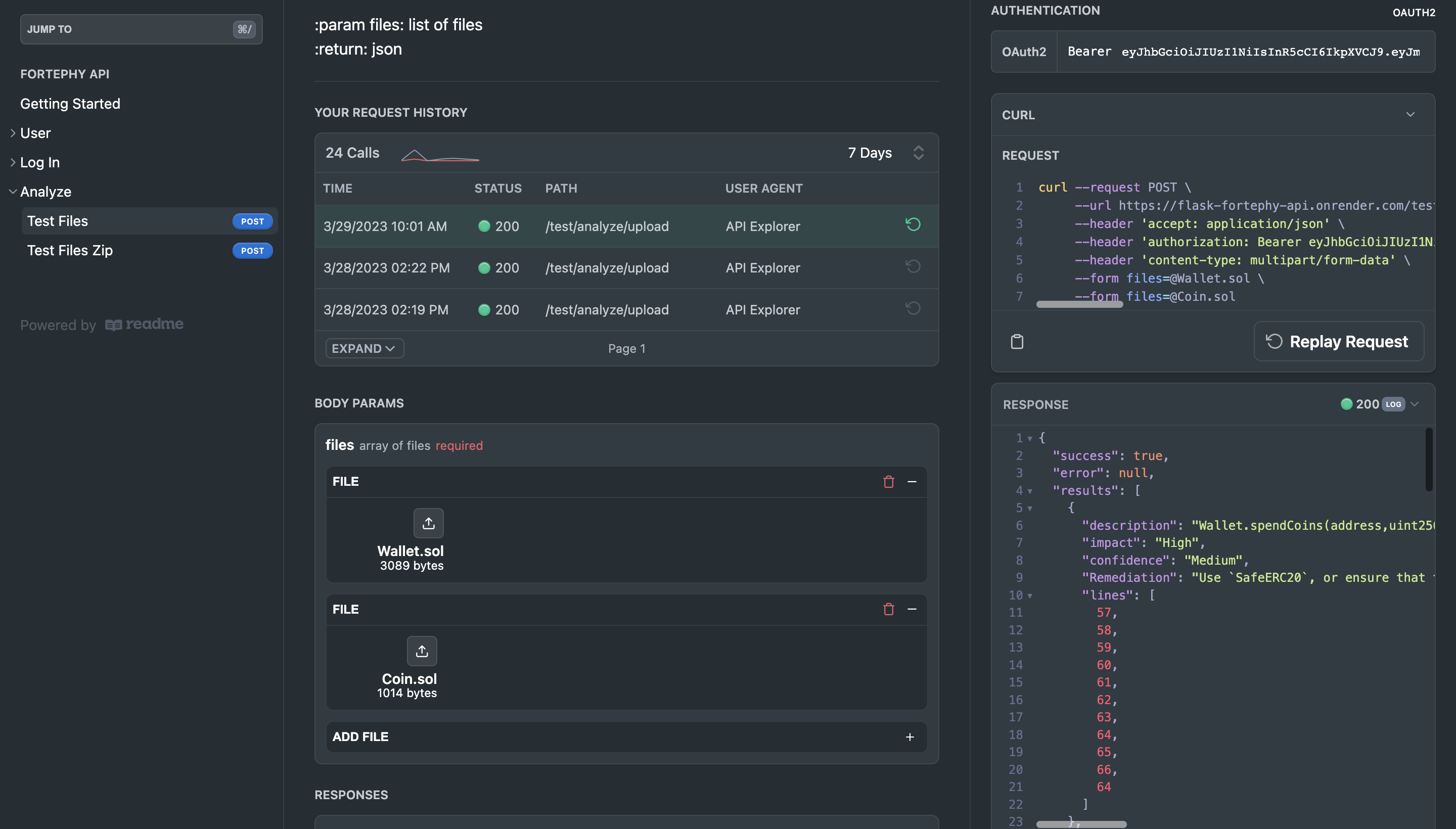
- First upload the smart contract you would like to get analyzed, and then any additional smart contracts that are being imported into the first one.
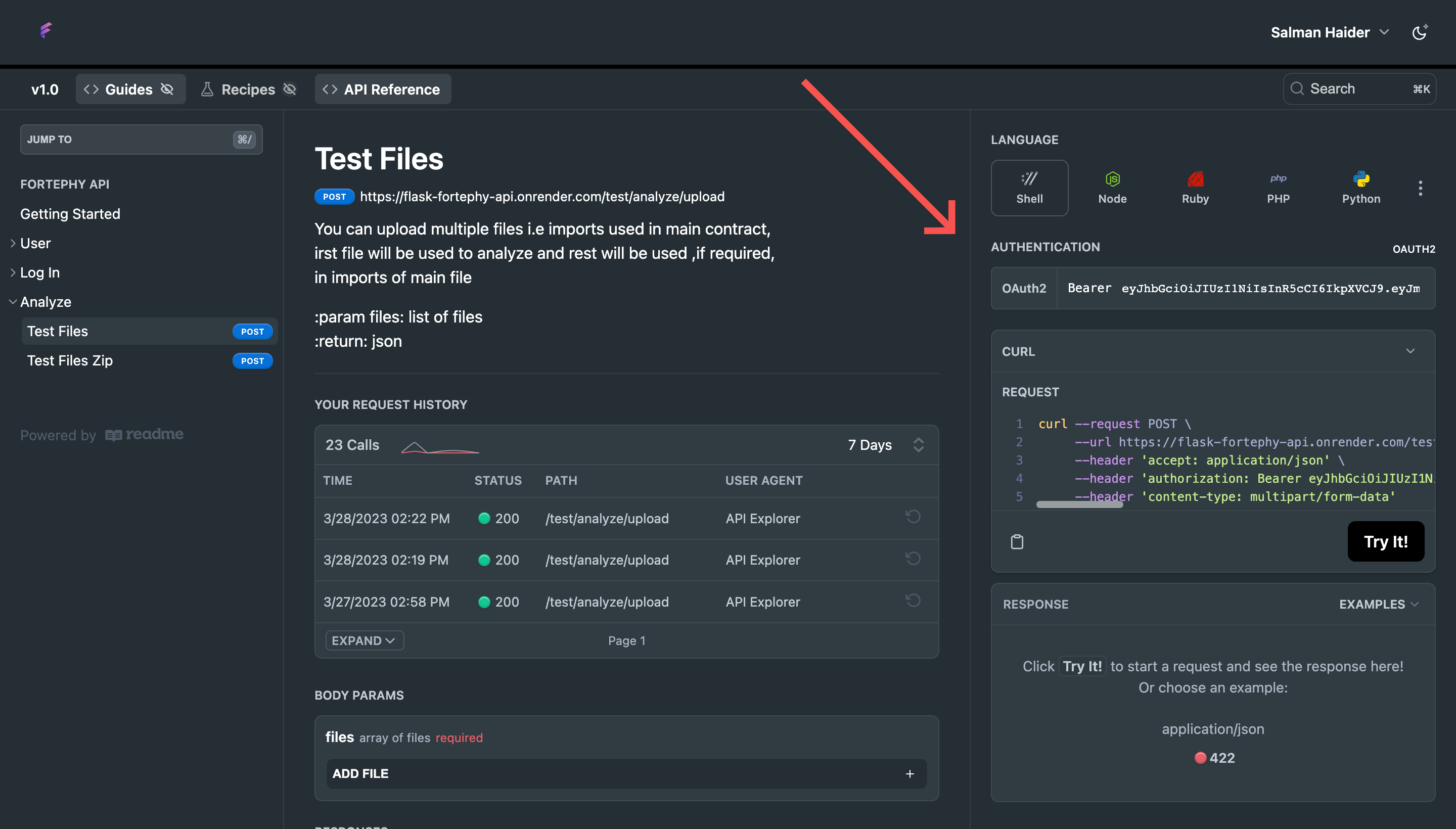
- Hit "Try it" after which you will see a JSON output in the response with all the vulnerabilities within your smart contract along with corresponding remediation
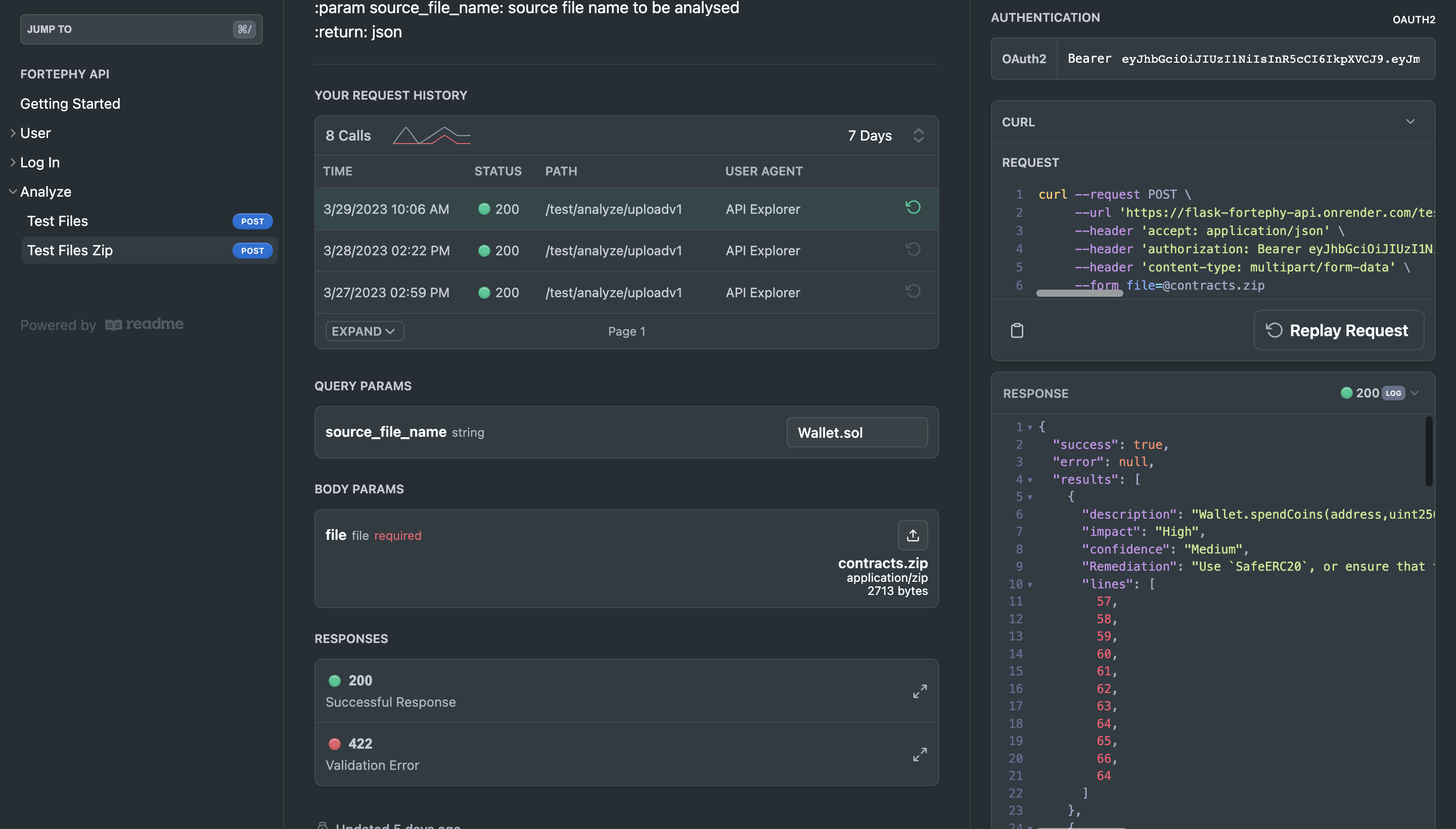
- For more convenience, you can use the Test Files Zip endpoint and alternatively compress your smart contracts (in this case Wallet.sol and Coin.sol) into a .zip file and specific the main contract that you would like to get analyzed
Using the CLI
Beautified output (terminal or IDE)
To view a beautified version of the analysis in your terminal or IDE, install the jq library using one of the commands below
mac: brew install jq
linux: apt install jq
windows: curl -L -o /usr/bin/jq-win64.exe
- Create user
curl --request POST \
     --url https://flask-fortephy-api.onrender.com/user/create/ \
     --header 'accept: application/json' \
     --header 'content-type: application/json' \
     --data '
{
  "first_name": "john",
  "last_name": "doe",
  "username": "jdoe",
  "email": "[email protected]",
  "password": "12345678"
}
'
- Authenticate, copy the access token inside the double quotes
{
  "access_token": "eyJhbGciOiJIUzI1NiIsInR5cCI6IkpXVCJ9.eyJmaXJzdF9uYW1lIjoiam9obiIsImxhc3RfbmFtZSI6ImRvZSIsInN1YiI6Impkb2UiLCJzY29wZXMiOltdLCJpZCI6OTUsImV4cCI6MTY4MDE4NTU4Nn0.67_n0pO8uDaTeJBFpfaG1VRl1BVcbrQgjllsMtnkZL8",
  "token_type": "bearer"
}
- For the "Test Files" endpoint, Paste the access token after "Bearer". Add relevant smart contract files (starting with the main/target contract for analysis) and add jq at the end of the command
curl --request POST \
     --url https://flask-fortephy-api.onrender.com/test/analyze/upload \
     --header 'accept: application/json' \
     --header 'authorization: Bearer eyJhbGciOiJIUzI1NiIsInR5cCI6IkpXVCJ9.eyJmaXJzdF9uYW1lIjoiam9obiIsImxhc3RfbmFtZSI6ImRvZSIsInN1YiI6Impkb2UiLCJzY29wZXMiOltdLCJpZCI6OTUsImV4cCI6MTY4MDE4MzQ3OX0.dJswYvOjNWVRU1rfypPJKW5hF7zP8ruk27kbRw8zlAc' \
     --header 'content-type: multipart/form-data' \
     --form [email protected] \
     --form [email protected]
- Sample output
{
  "success": true,
  "error": null,
  "results": [
    {
      "description": "Wallet.spendCoins(address,uint256) (Wallet.sol#57-66) ignores return value by coin.transfer(_receiver,_amount) (Wallet.sol#64)\n",
      "impact": "High",
      "confidence": "Medium",
      "Remediation": "Use `SafeERC20`, or ensure that the transfer/transferFrom return value is checked.",
      "lines": [
        57,
        58,
        59,
        60,
        61,
        62,
        63,
        64,
        65,
        66,
        64
      ]
    },
- Alternatively, you can also use the "Test Files Zip endpoint, the curl command for that would look like the following:
curl --request POST \
     --url 'https://flask-fortephy-api.onrender.com/test/analyze/uploadv1?source_file_name=Wallet.sol' \
     --header 'accept: application/json' \
     --header 'authorization: Bearer eyJhbGciOiJIUzI1NiIsInR5cCI6IkpXVCJ9.eyJmaXJzdF9uYW1lIjoiam9obiIsImxhc3RfbmFtZSI6ImRvZSIsInN1YiI6Impkb2UiLCJzY29wZXMiOltdLCJpZCI6OTUsImV4cCI6MTY4MDE4MzQ3OX0.dJswYvOjNWVRU1rfypPJKW5hF7zP8ruk27kbRw8zlAc' \
     --header 'content-type: multipart/form-data' \
     --form [email protected]